in order to efficiently navigate and use properly the functions of the website. Learn more
OK
 |
 EN EN |
|  | ||||||||||||||||||||||||||||||||||||||||||||||||||||||||||||||||||||||||||||||||||||||||||||||||||||||||
|
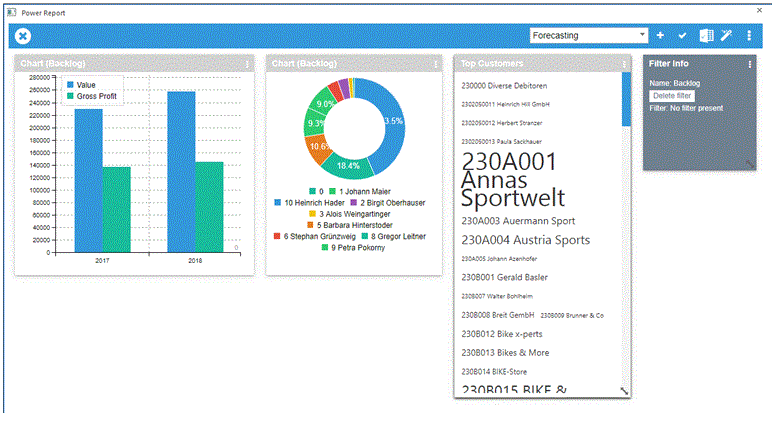
WinLine BI - Software for Business IntelligenceOur WinLine BI tools support you in gathering, preparing and representing your business data. Report systematically on data from WinLine ACC2, ACC1, COST, ASSET, PROJECT, PAYROLL and LIST, in order to provide a basis for decision-making, both on the operational as well as strategic level. The integrated Data Assistent guides you through the application step-by-step to generate reports easily for large amounts of data. The results can be attractively displayed with the assistance of the WinLine Power Report in a WinLine Cockpit. Various kinds of display modes are available:
Application areasTypical Use Scenarios for BI Reports:
Functional Overview for WinLine BI standard and WinLine BI professional
Further information
| |||||||||||||||||||||||||||||||||||||||||||||||||||||||||||||||||||||||||||||||||||||||||||||||||||||||||



|
Austria mesonic datenverarbeitung gmbh 3001 Mauerbach Herzog Friedrich-Platz 1 Tel. +43-(0)1-970 30-0 Fax +43-(0)1-970 30-75 |
Germany mesonic software gmbh 27383 Scheeßel Hirschberger Straße 18 Tel. +49-(0)4263-93 90-0 Fax +49-(0)4263-8626 |
Italy mesonic italia srl. 20156 Milano Via Giovanni da Udine 34 Tel. +39-02-3809 368-1 Fax +39-02-3809 368-2 |
Contact info@mesonic.com www.mesonic.com |
Copyright Info GTB Data Protection Declaration |